Once Dark StudioAlpha

For your novels and stories

From the start, through rewrites, to the final polish.

When you want feedback, you can turn on a team of AI assistants that can help you.

Free and open source, a project open to everyone, not for profit · Open the demo without signing up, and decide if it is for you

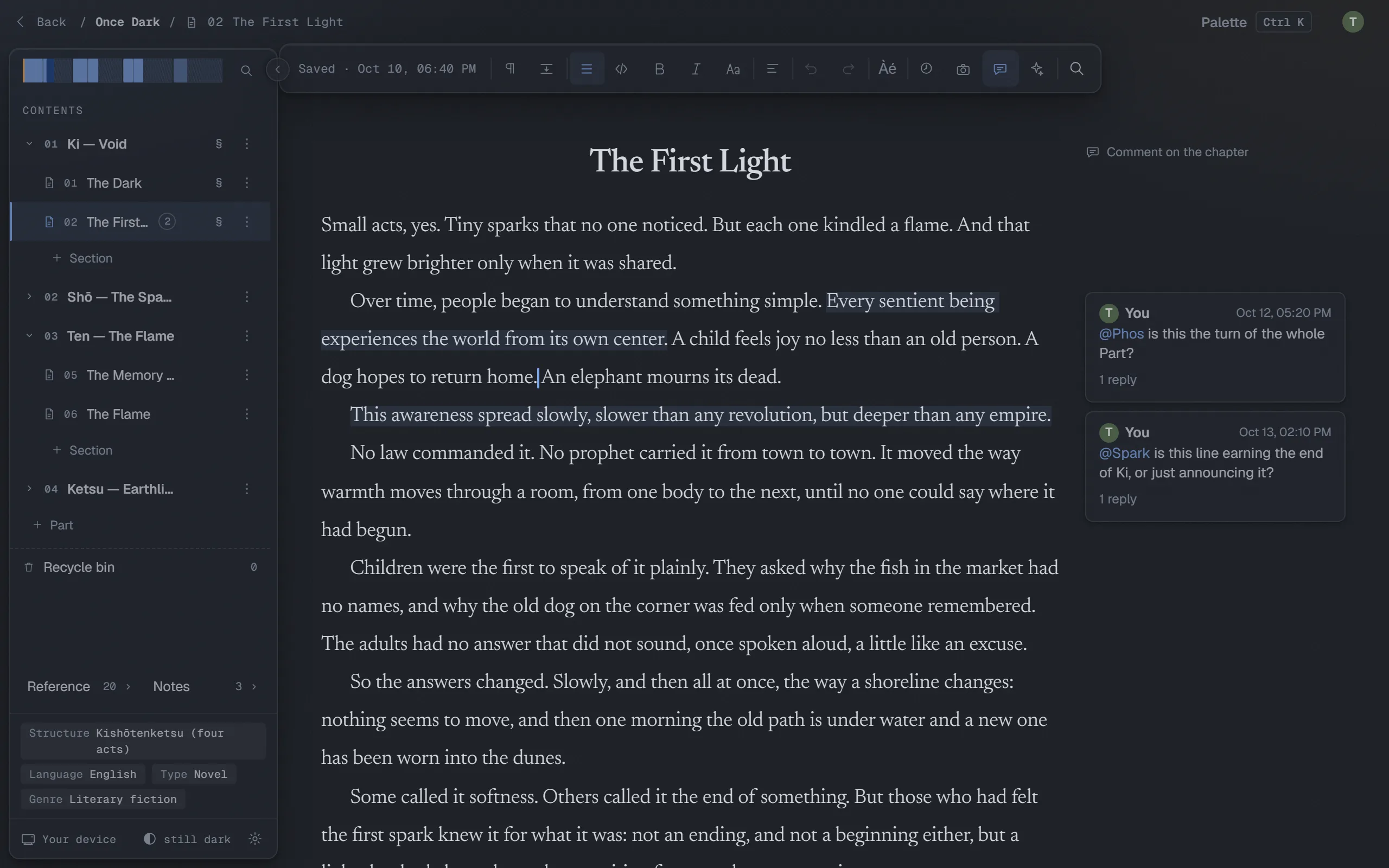
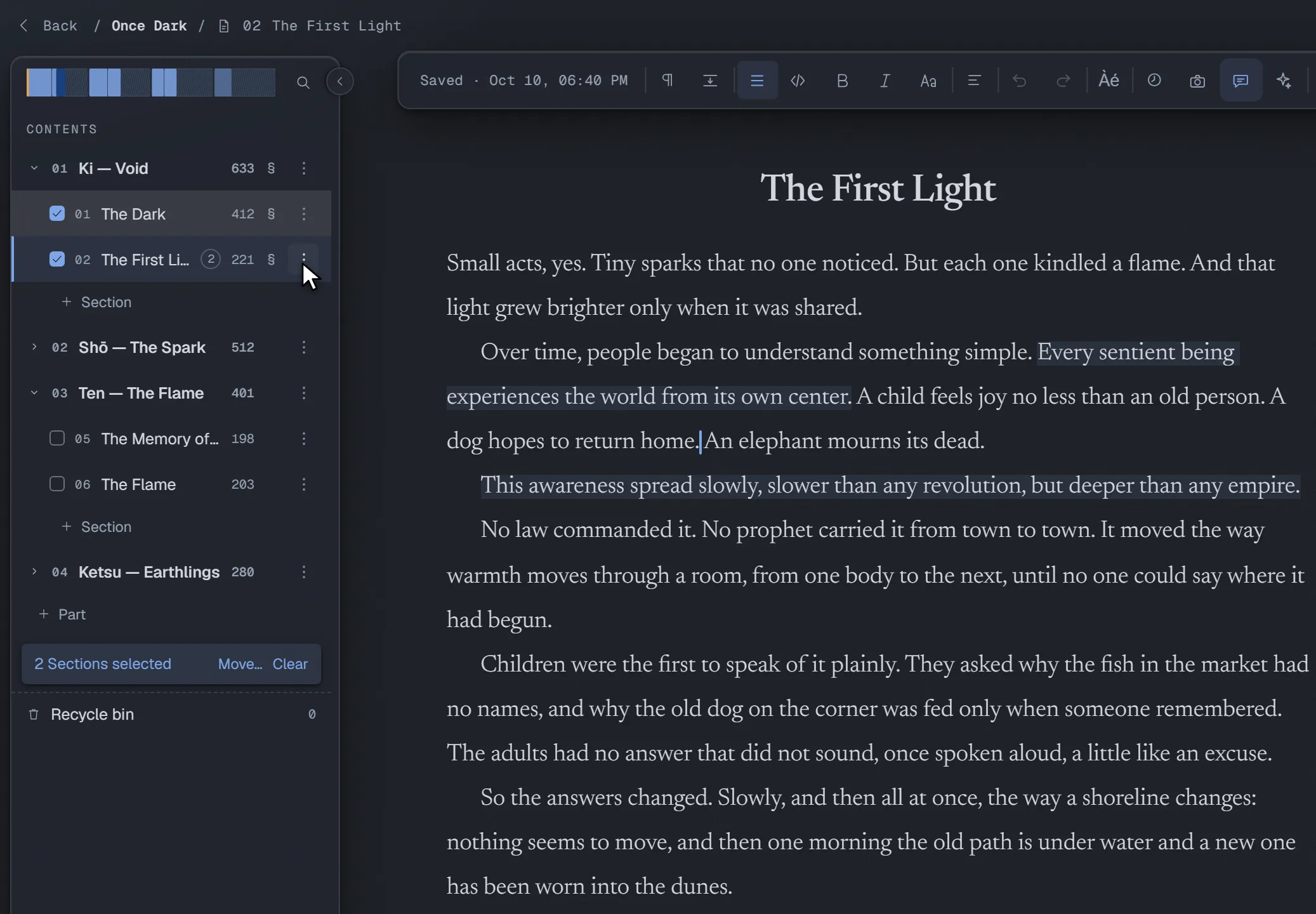
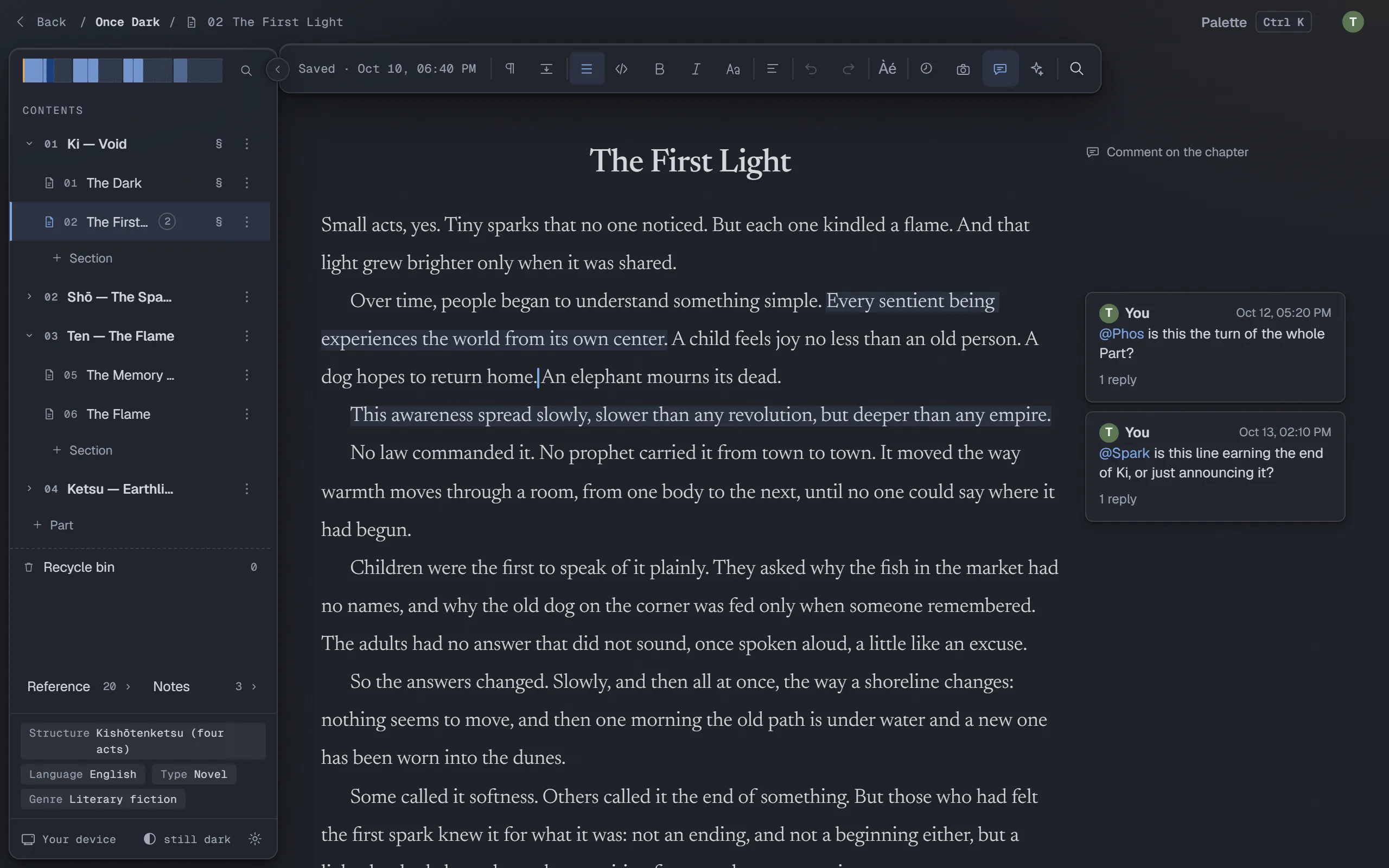
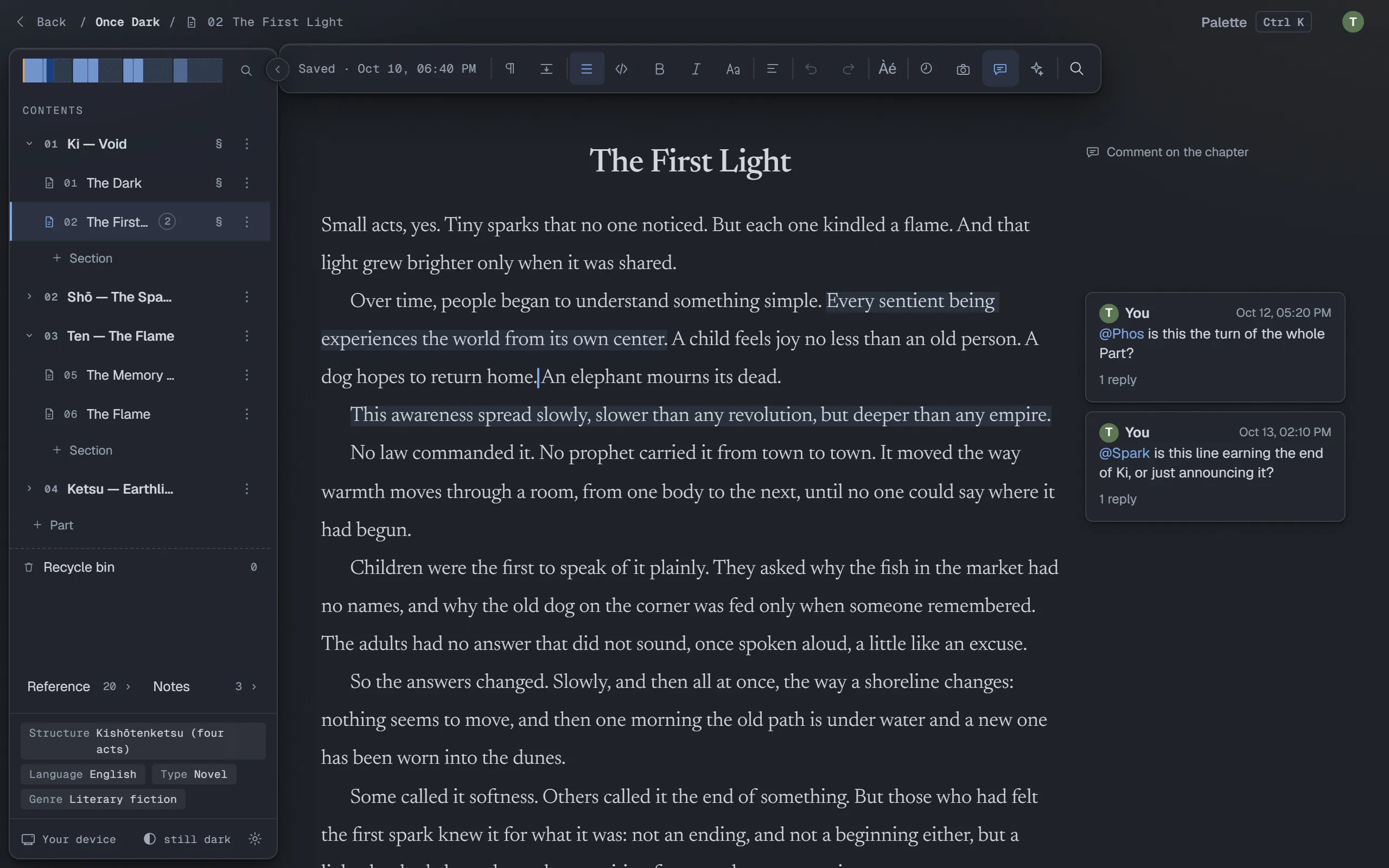
The editor: the book's structure on the left, the chapter in the middle, comments in the margin.

Writing

Start with a sentence.

You stop mid-sentence to hunt for an em dash.

Every mark a novel needs is one keystroke. The line you're writing stays in view, and the rest of the page steps back.

Keys that keep you writing

Guillemets, curly quotes, the em dash, the ellipsis and the curly apostrophe are one keystroke each. So are the accented capitals an Italian keyboard can't type. No menu, no symbol picker, no break in the sentence.

“It’s late,” Mirai said. “Too late—or just in time…”

  • Ctrl+3“
  • Ctrl+'’
  • Ctrl+4”
  • Ctrl+-—
  • Ctrl+.…

Accented capitals: Ctrl+è gives È, and the same goes for À, É, Ì, Ò, Ù and the rest.

À È É Ì Ò Ù Â Ê Î Ô Û Ë Ï Ü
Undivided attention.

The sentence you are writing, in focus

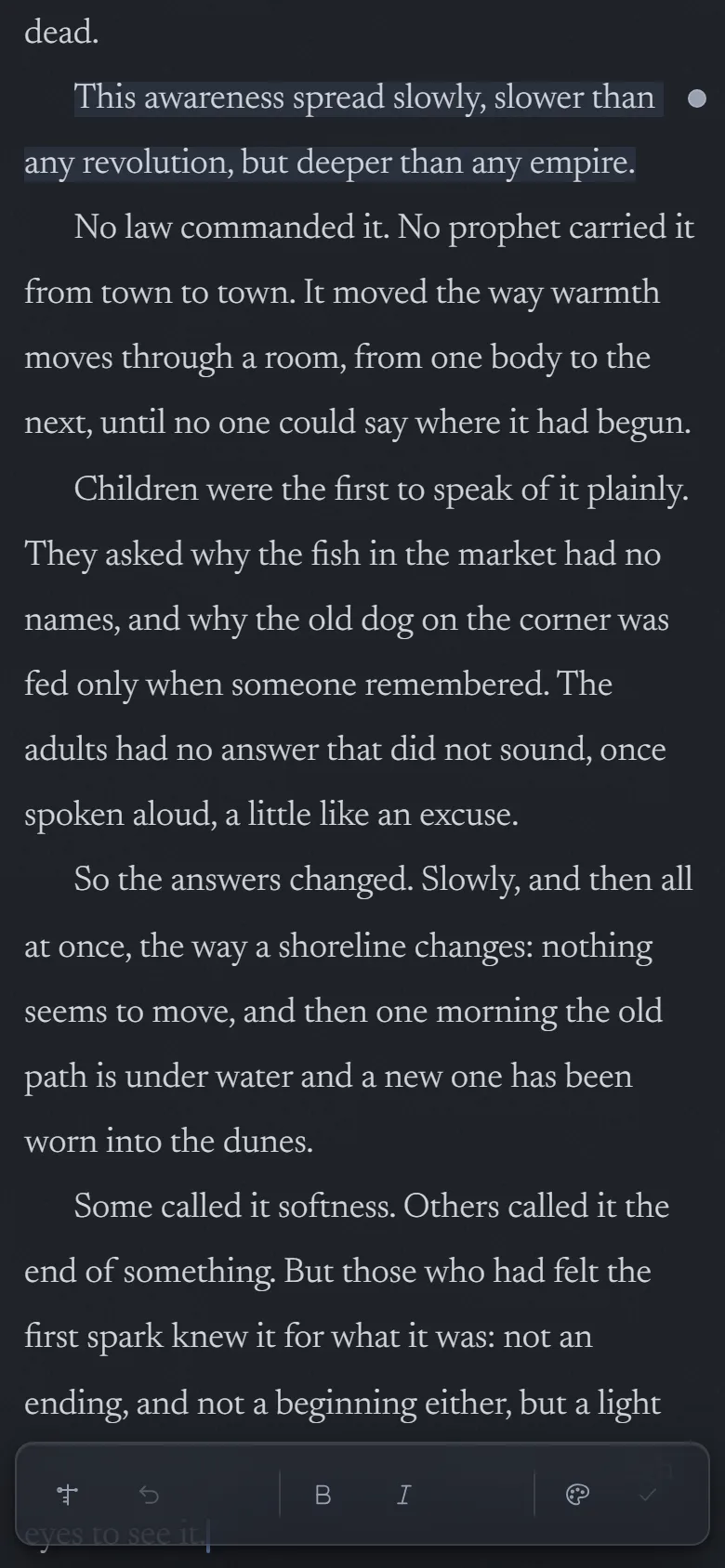
Focus dims the text around your current line or paragraph. The surrounding words stay in place while the current passage takes the foreground.

Try it! Pick Ln for the line or ¶ for the paragraph, then click in the text.
Focus
Try it in the full editor →

Small acts, yes. Tiny sparks that no one noticed. But each one kindled a flame. And that light grew brighter only when it was shared.

Over time, people began to understand something simple. Every sentient being experiences the world from its own center. A child feels joy no less than an old person. A dog hopes to return home. An elephant mourns its dead.

No law commanded it. No prophet carried it from town to town. It moved the way warmth moves through a room, from one body to the next, until no one could say where it had begun.

Henosis: only the page

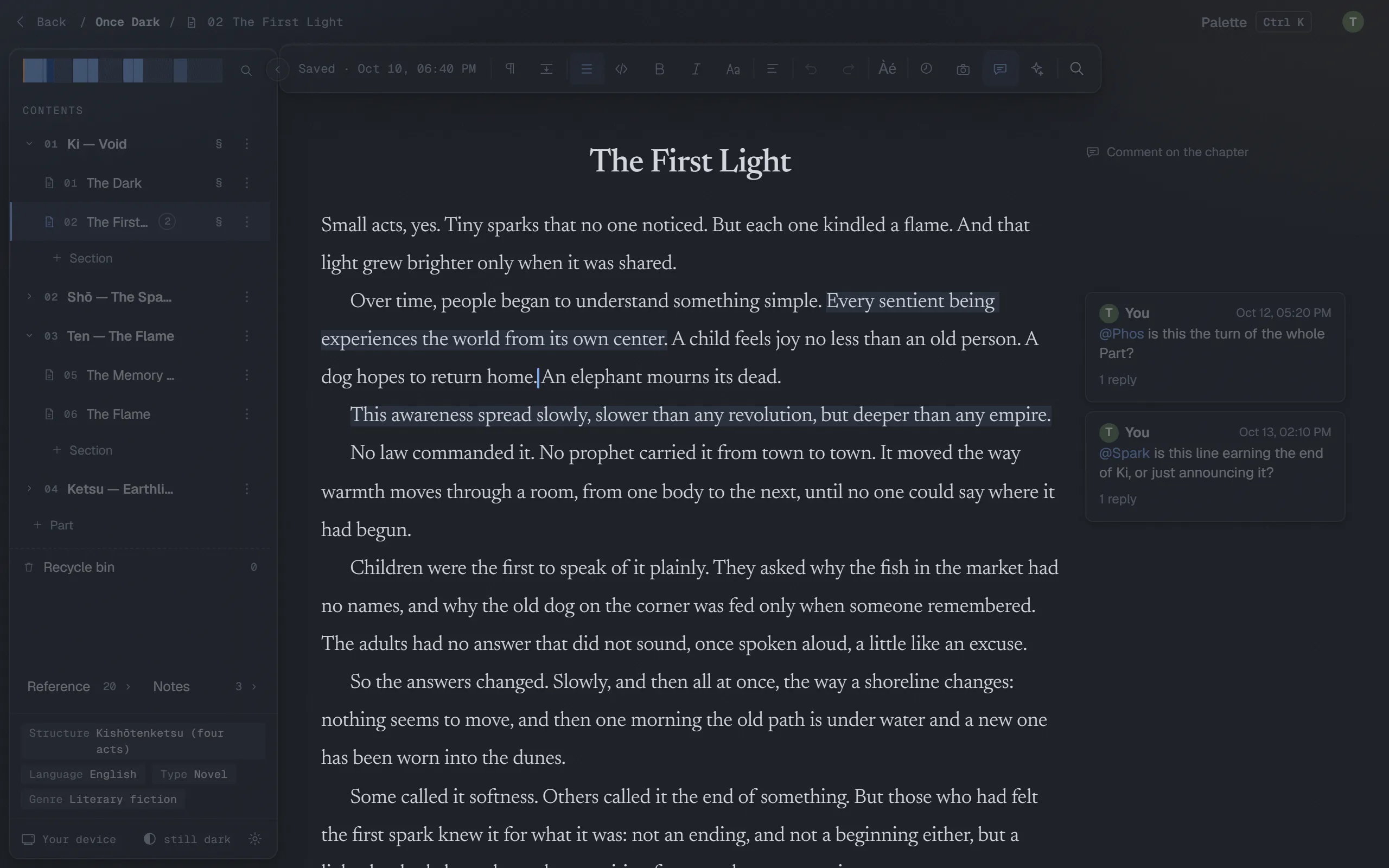
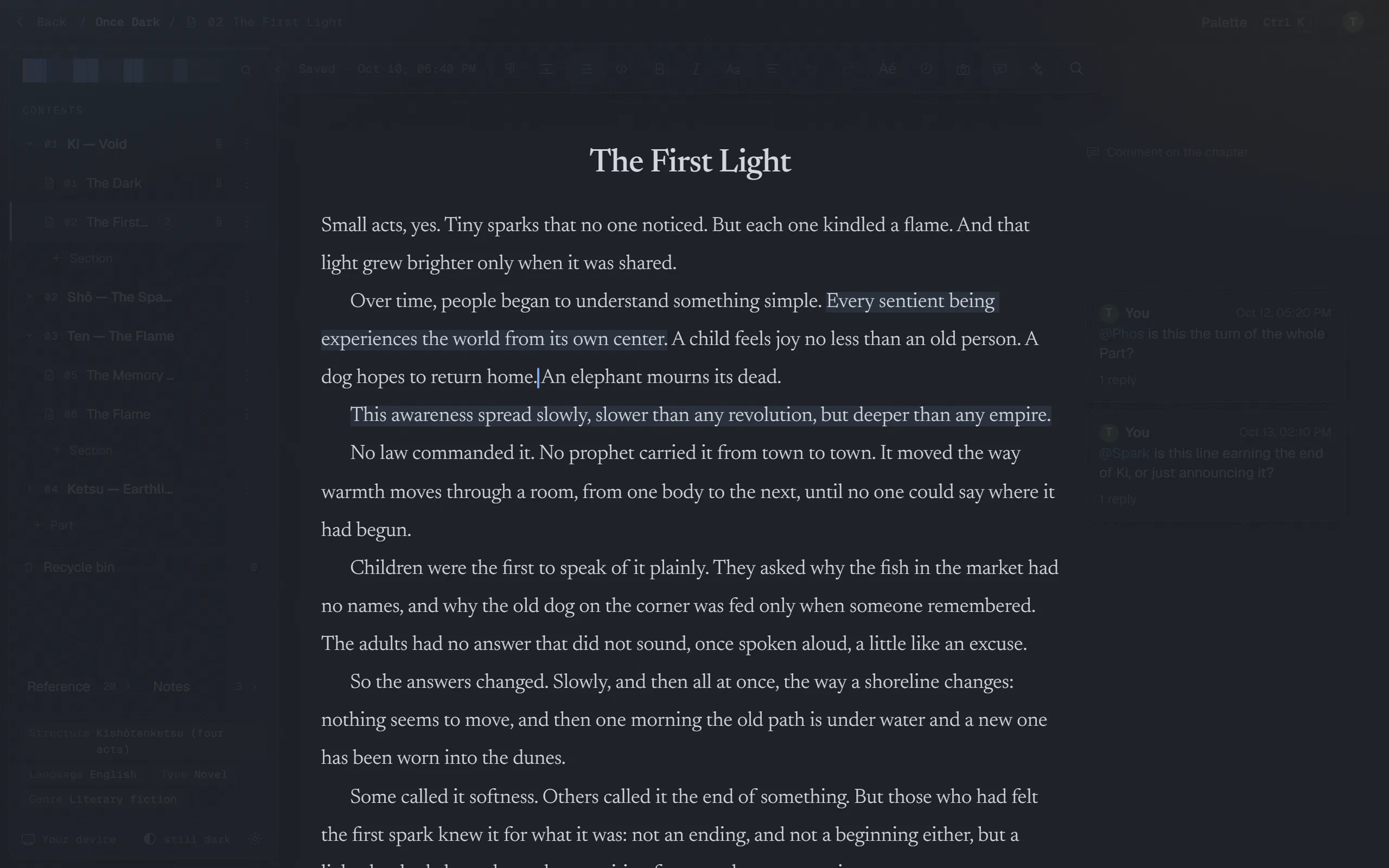
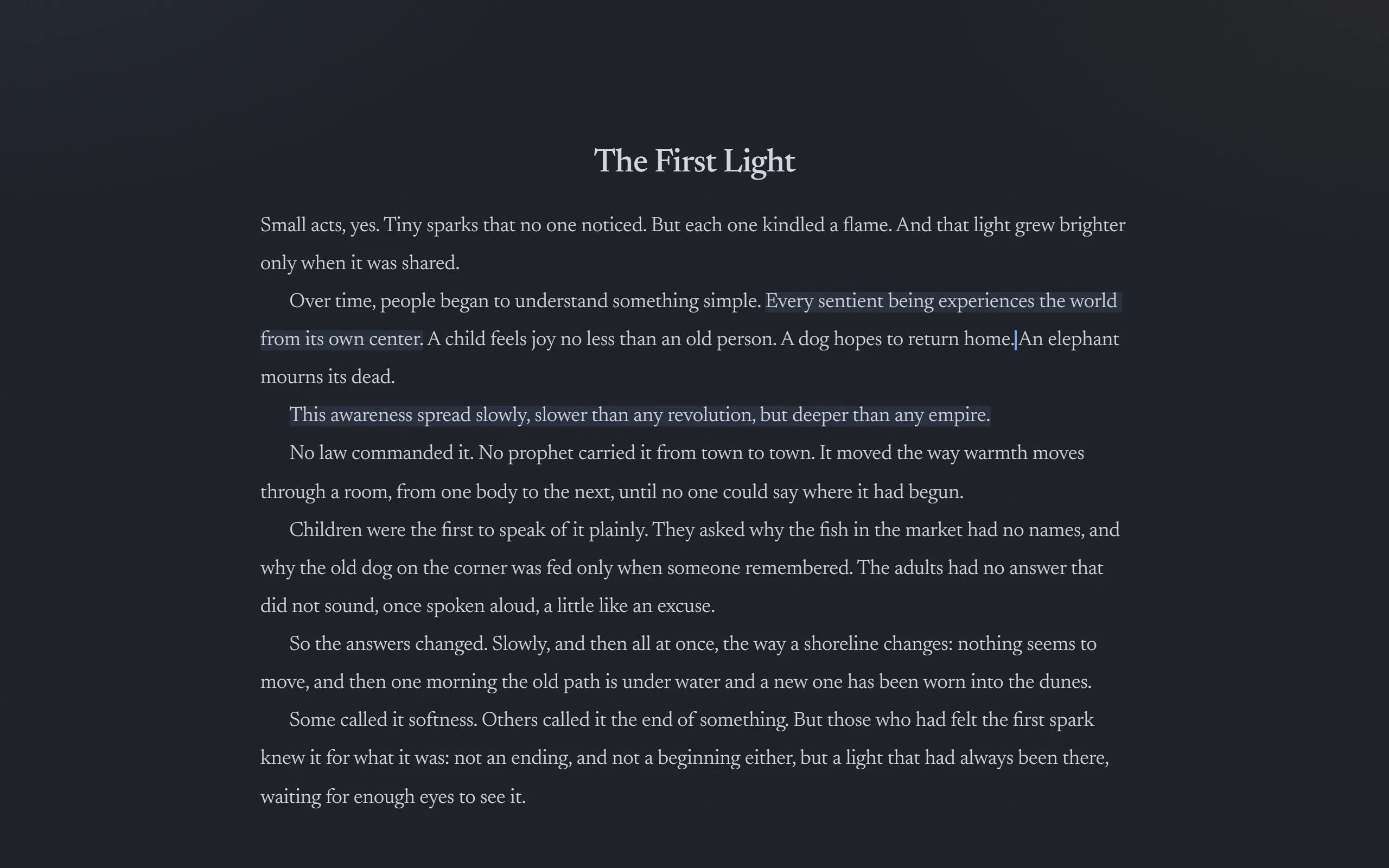
Write for a few seconds and the controls fade away; stop, and they come back. You decide how long each one takes.

Henosis as it happens: the controls fade while you write, until only the page is left.

Structure

Then, the whole book.

A novel grows. And changes order.

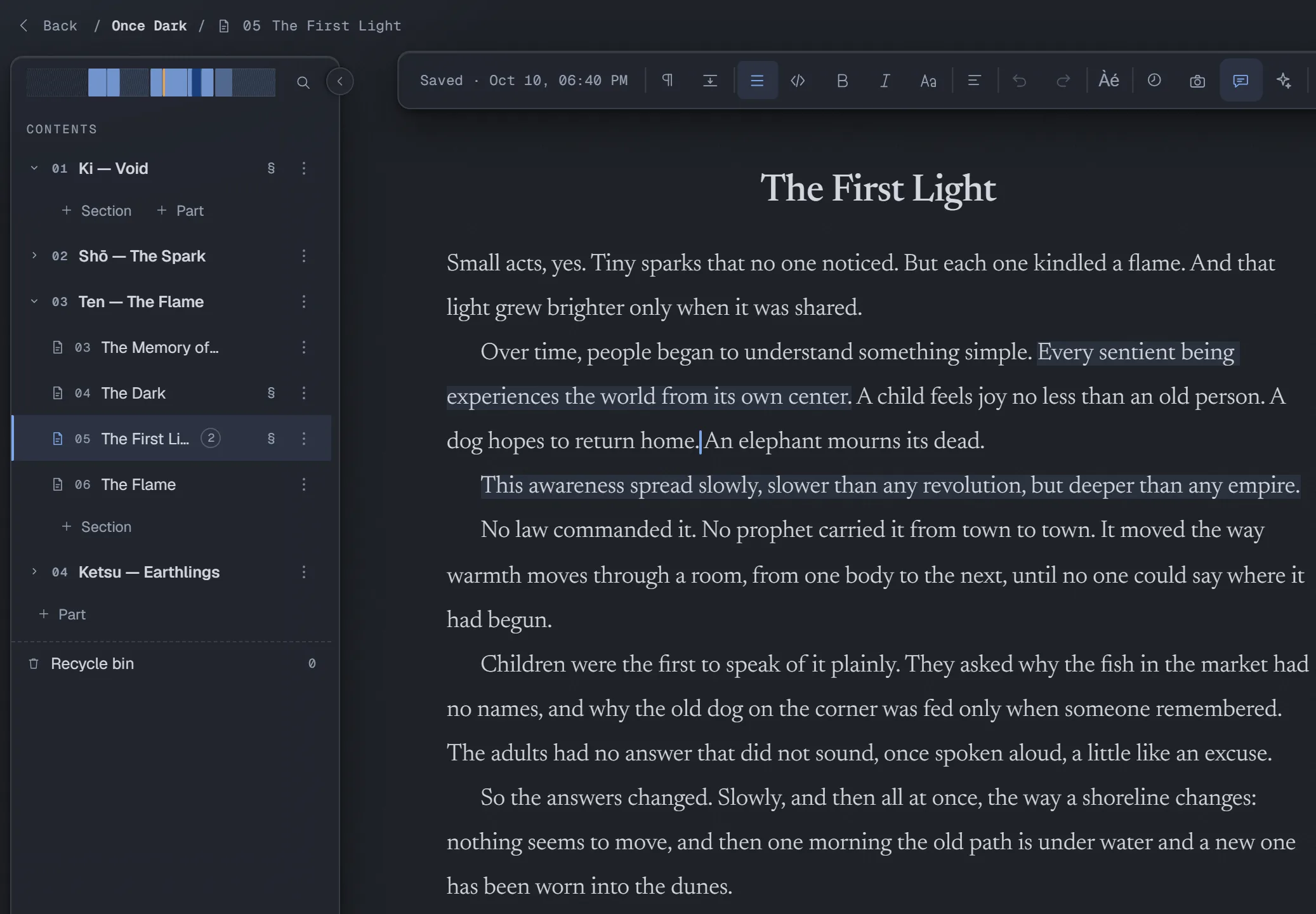
Move a chapter and the rest of the book falls into place. Change the shape as often as the story does.

The structure follows the story

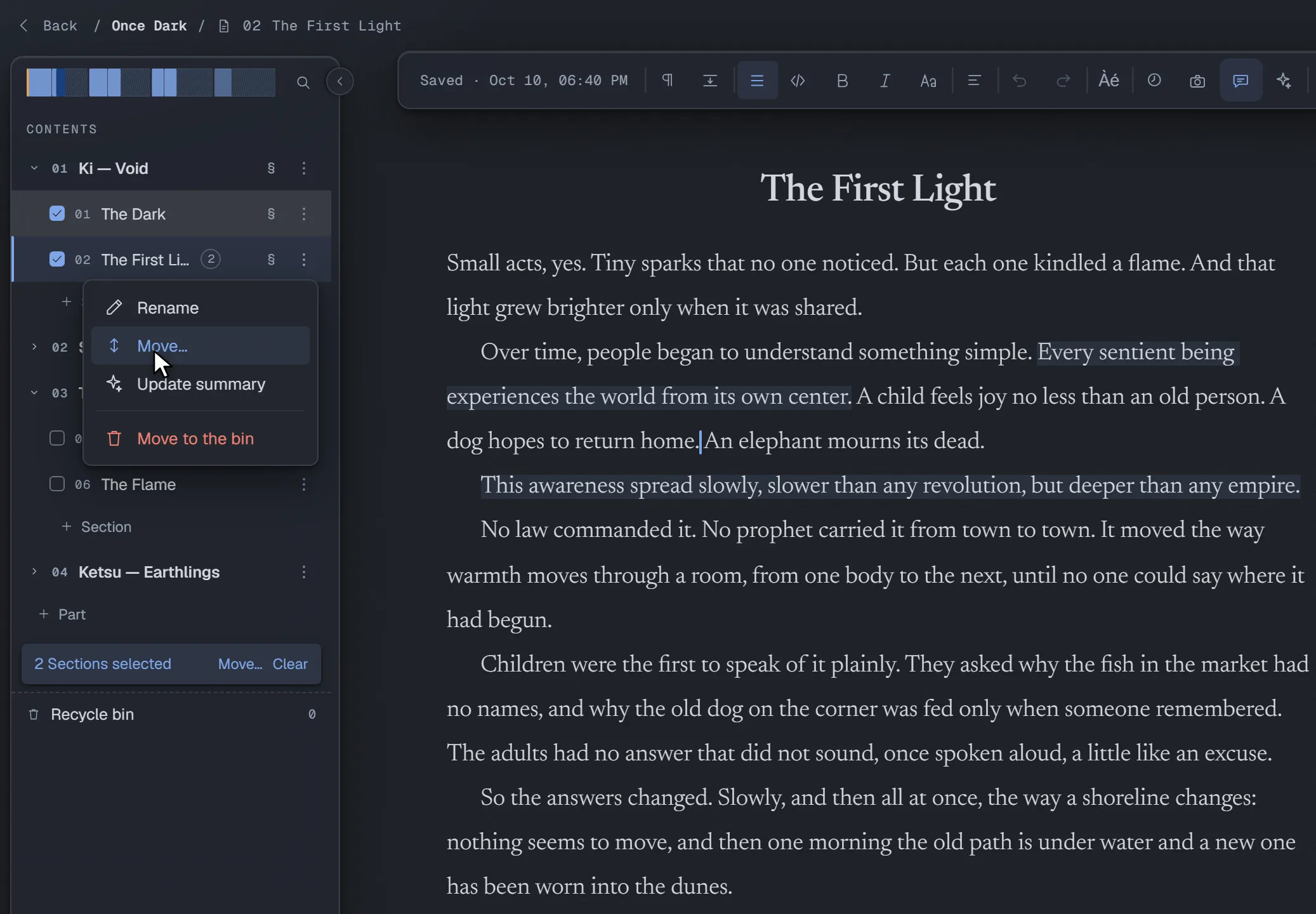
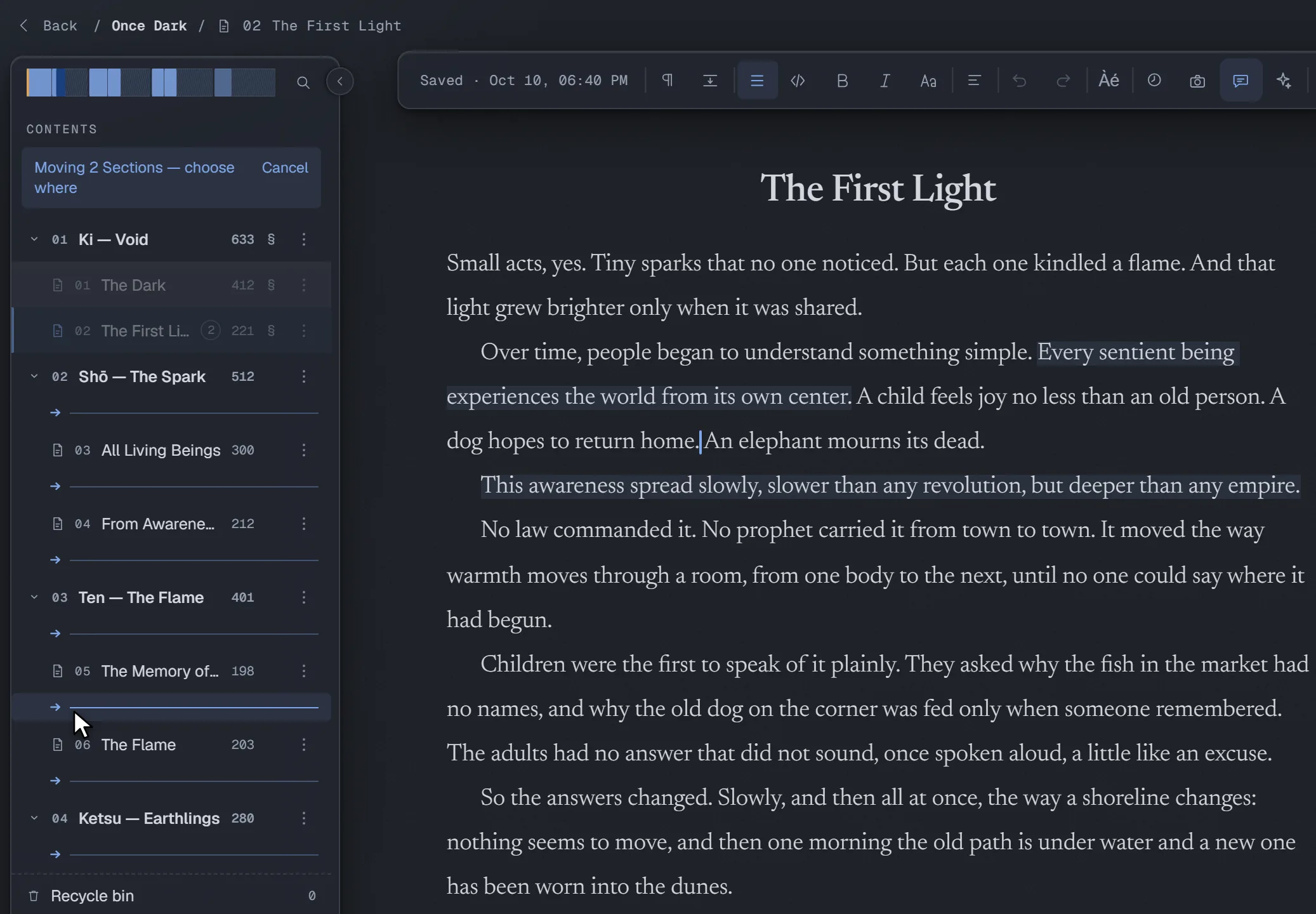
Select Sections, move them together and group them in Parts. On a phone, move controls replace dragging.

Moving two Sections at once: tick them, choose Move…, then pick where they go.

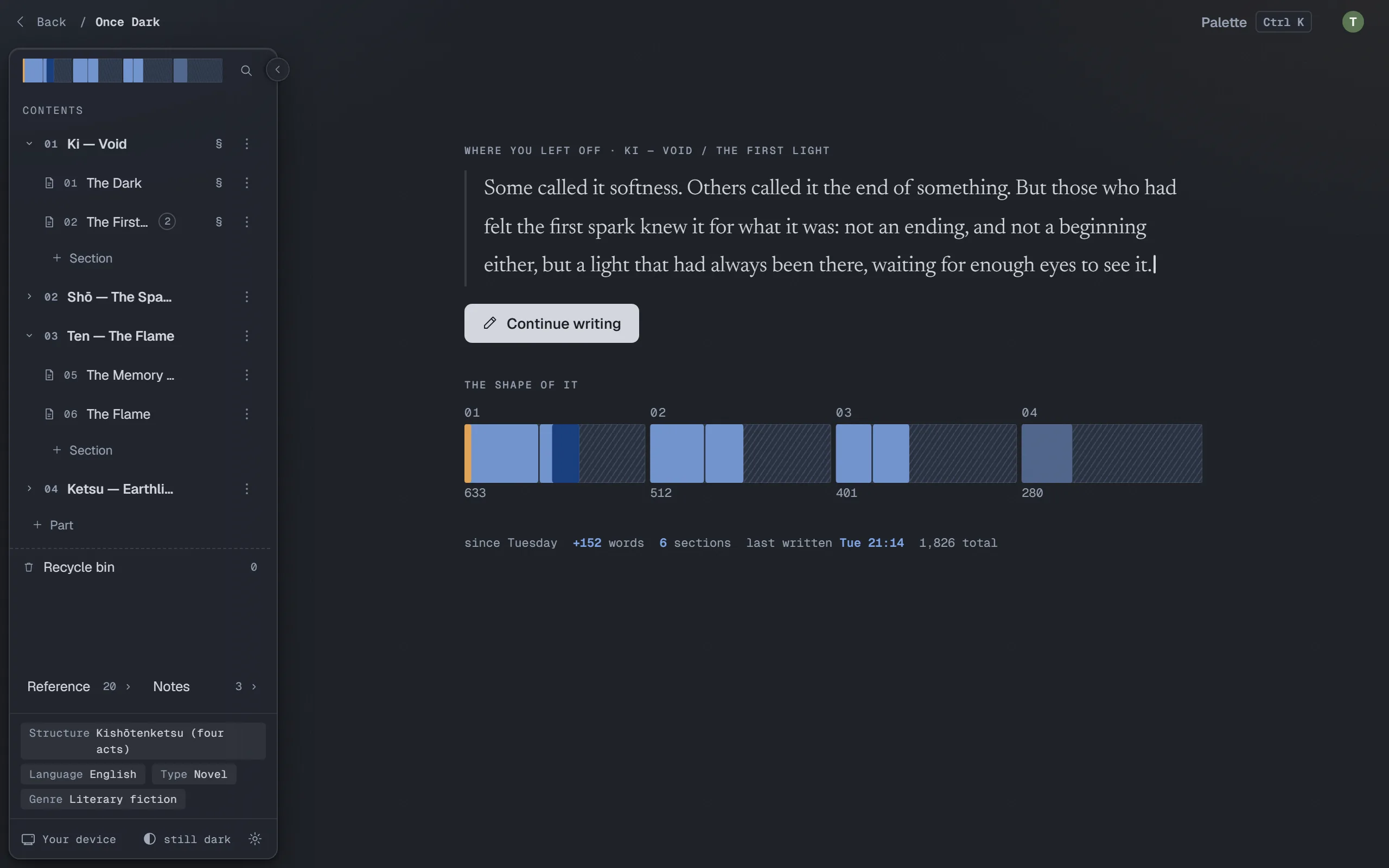
The Desk: where you left off

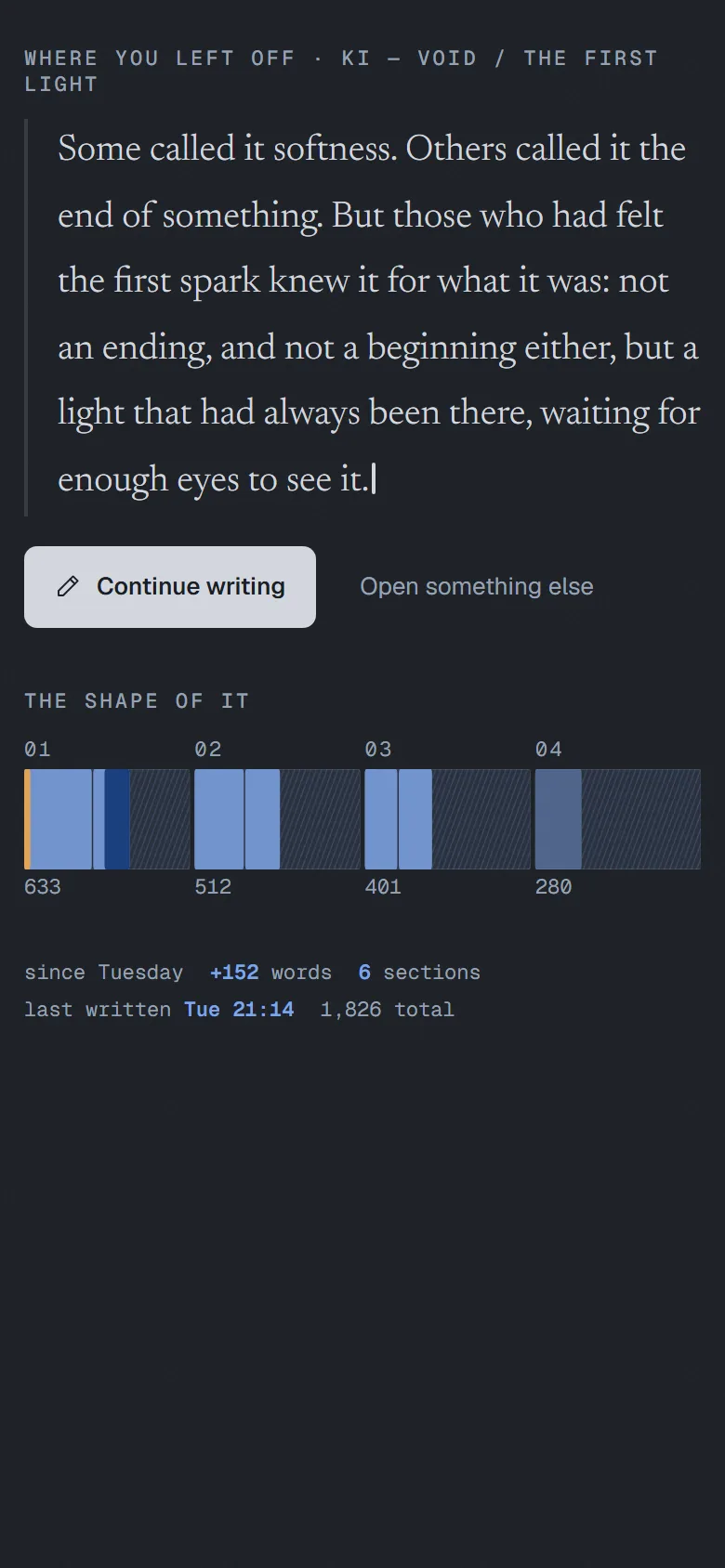
Open a book and its Desk shows the last lines you wrote, one button to carry on, the shape of every Part, and how far you've come lately.

The Desk: the last lines written, Continue writing, and the shape of each Part.

And the book stays yours.

  • Files you own

    Markdown on your device, in Remote Storage, or both. Other editors can open your manuscript too.

  • Free software

    Nothing to buy and nothing locked away. The AI is optional, and you pay OpenRouter for what you use.

  • Away from your desk too

    At home, with your computer on, read on your phone and take notes on your tablet. Remote Storage brings your projects to your other devices.

The whole editor. One click. No account.

The demo is the full editor, open on a sample novel: write, move chapters, compare drafts, open the reference sheets. You can't break anything: reload, and the novel is back as it was.

Try it now

Revision

… what if the best sentence was in yesterday's version?

You rewrite chapter 12 and lose the line that worked.

Keep your drafts as snapshots. Compare any two, down to a single word, and take back only what you want.

Two drafts, one better book

Compare saved drafts by paragraph, sentence or word. Accept one change at a time to keep the best of both.

Try it! Pick a change and accept it.
Try it in the full editor →

What was in this selected snapshot that isn't in the current manuscript?

content from the current manuscript that the selected snapshot removes or replaces

content from the selected snapshot that could be introduced into the current manuscript

Small acts. LittleTiny sparks that nobody sawno one noticed. But every one of them lit a flame.

From notes to a story

Reference sheets ask the right questions.

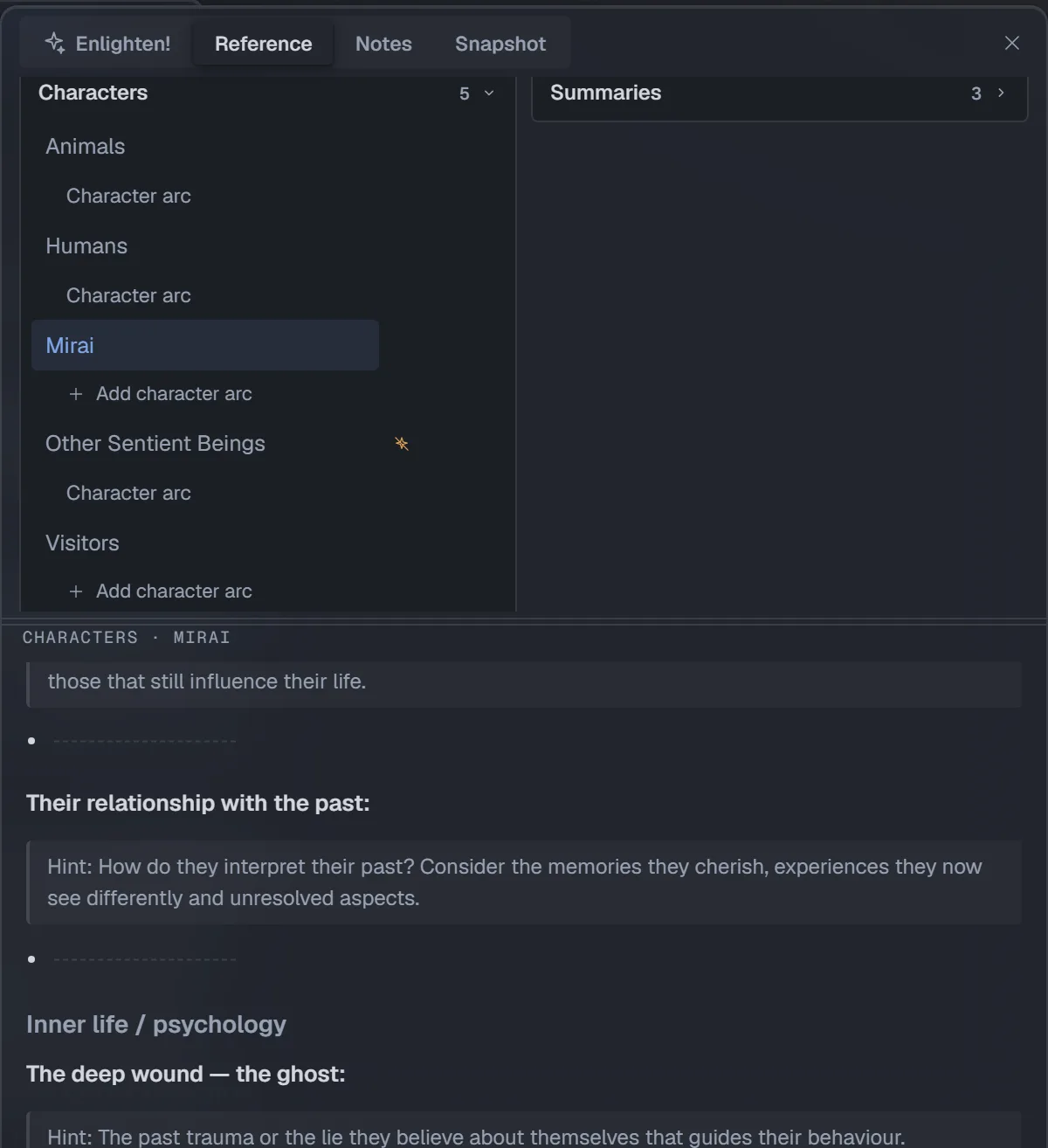
A wound from the past, a desire, a rule of your world. Each sheet asks what a good editor would ask, and leaves room for what you haven't decided yet.

The Guidebook has fourteen sections. There are also fifteen worldbuilding templates, character sheets and character arcs, in English and Italian. Each field includes craft guidance to help you develop your answer.

Any page can be kept from the assistant with one switch, in every chat.

Mirai’s reference sheet in the app, with field prompts and character details.

Editorial help, when you ask

An AI editorial team for the whole book.

A paragraph isn't enough. Your problems live across three hundred pages.

It finds scenes, checks them against your reference sheets and points out what doesn't add up. Then ask for an editorial letter and a plan for revision.

Continuity check

Chapter 3 still matters in chapter 30.

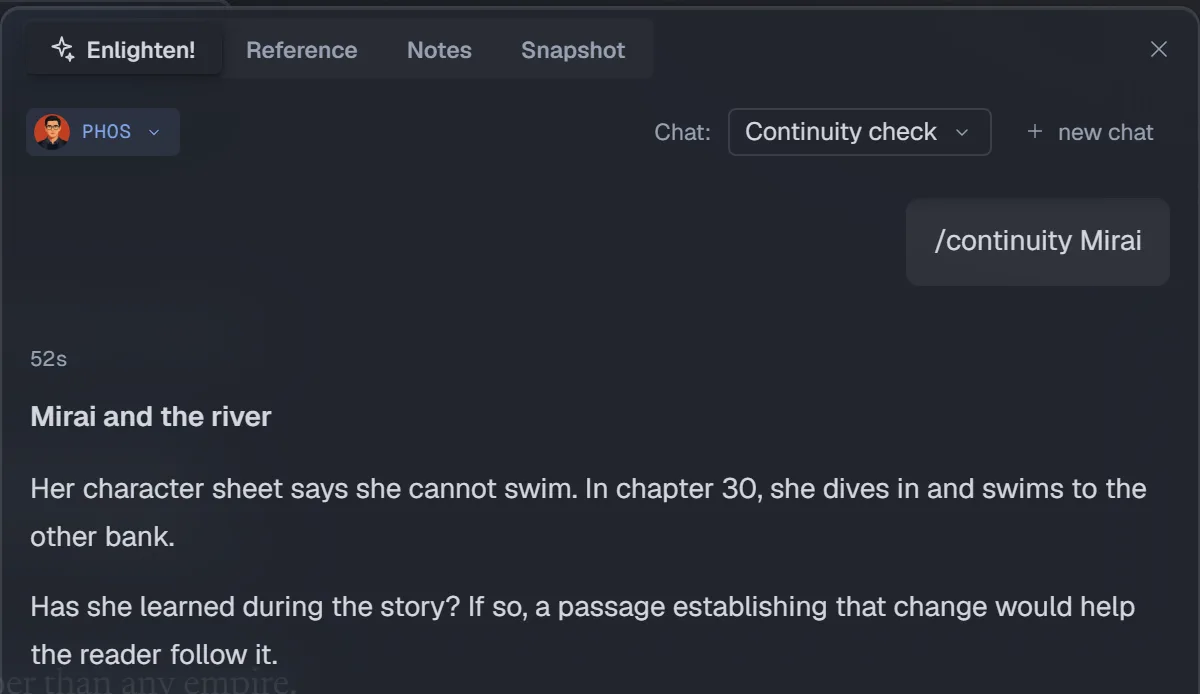
Mirai can't swim, says her sheet. In chapter 30 she swims a river. Ask for a continuity check and the assistant finds it, then asks whether she learned along the way.

A sample answer in the real assistant panel: Mirai’s sheet says she cannot swim, but in chapter 30 she swims across a river.

The revision plan

Feedback becomes a plan.

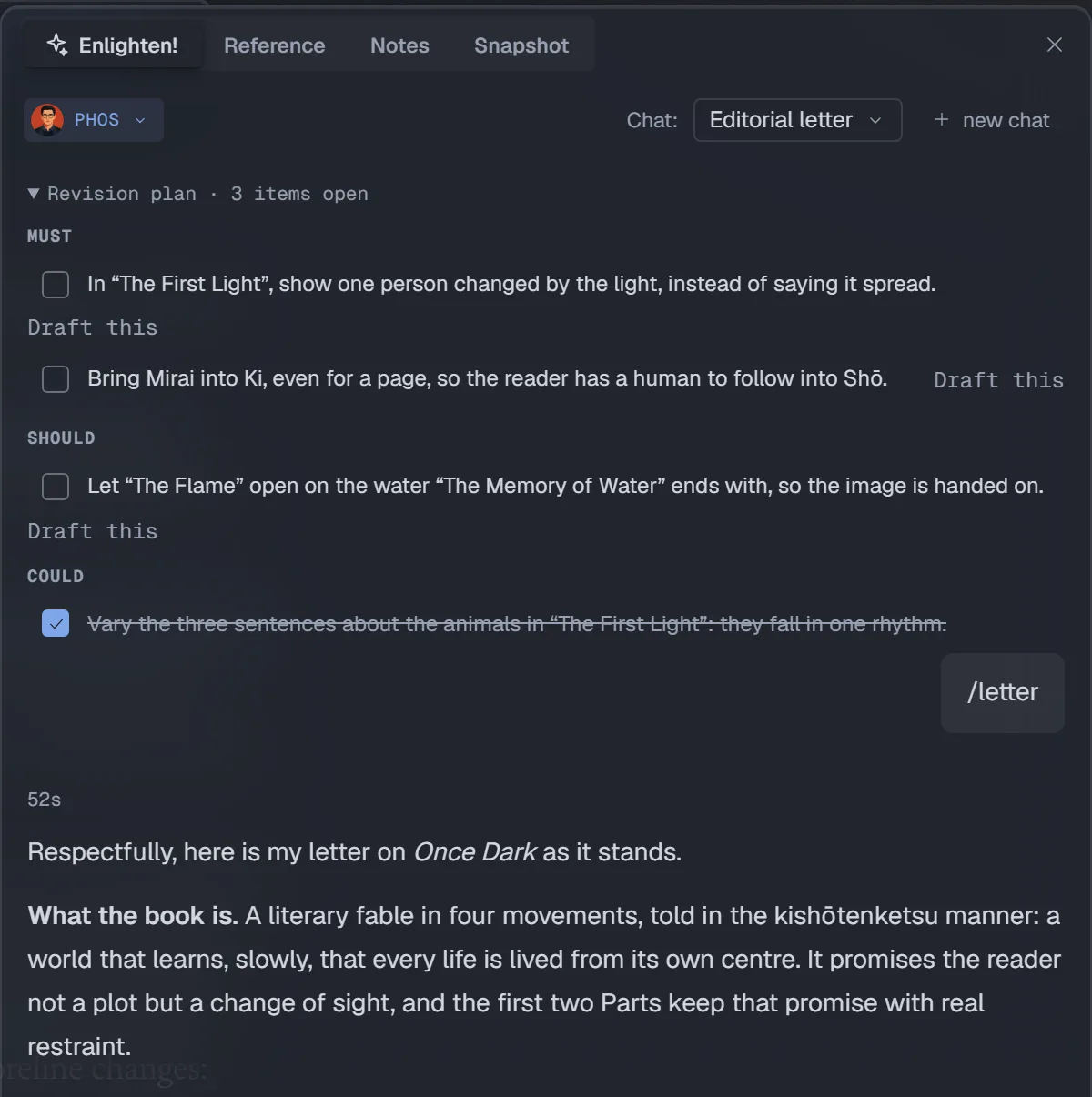
Phos writes you an editorial letter: what works, what doesn't yet, quoting your own pages. Every point becomes a task: Must, Should or Could. Tick them off as you revise.

  1. The letter. What the book is, what works and what doesn't yet, argued from your own pages and quoting them.
  2. The revision plan. Every point becomes an item, Must, Should or Could, to tick off as you revise.
  3. Draft this. Takes an item to a new drafting chat, so the plan turns into pages. What reaches the book is up to you.

The plan follows your rewrites. Ask for another reading: each item is assessed as resolved, still open or made worse. Pick up with what remains to be done.

The real revision plan: Must, Should and Could groups, checkboxes and Draft this actions.

AI editorial feedback

The same passage. Four different readings.

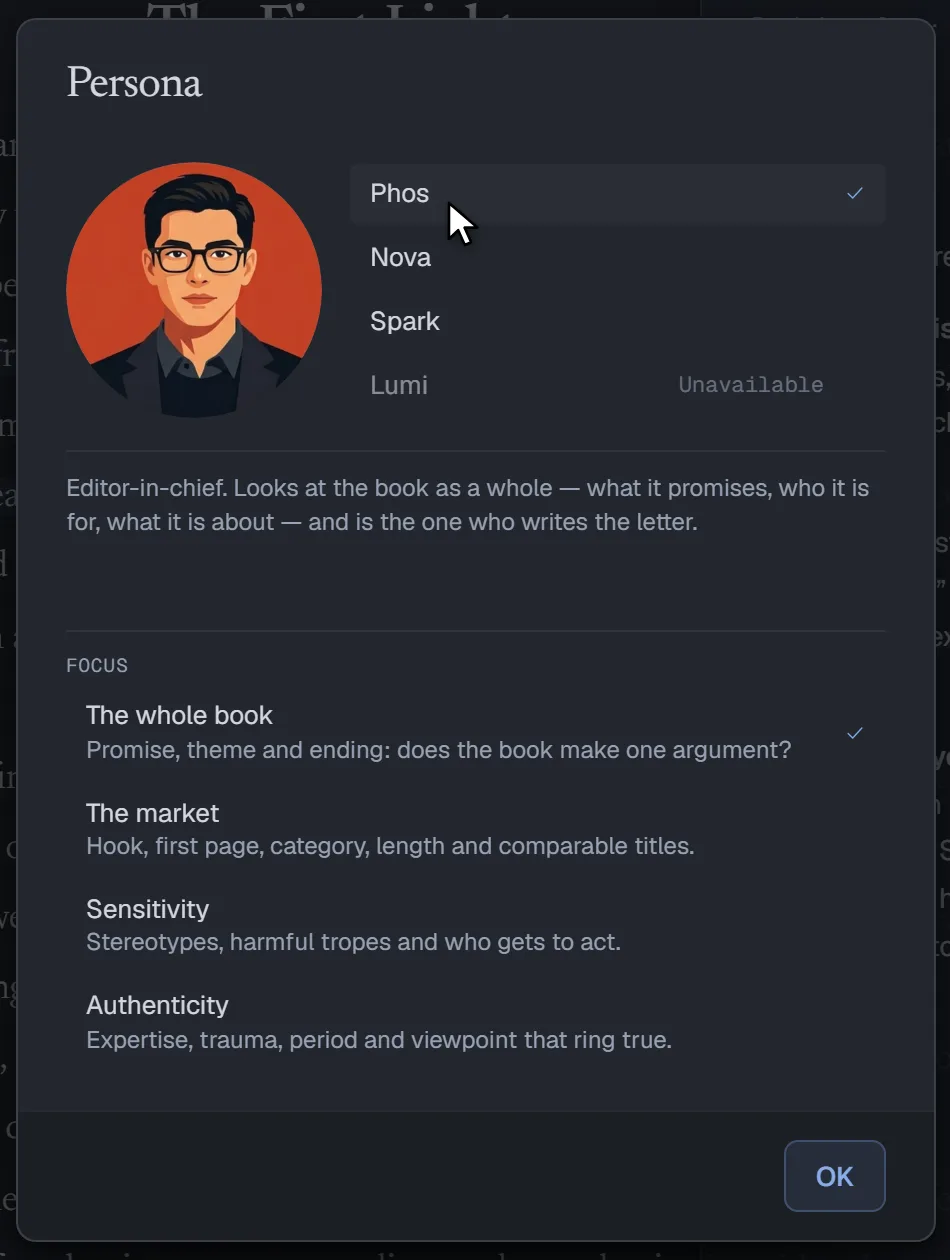
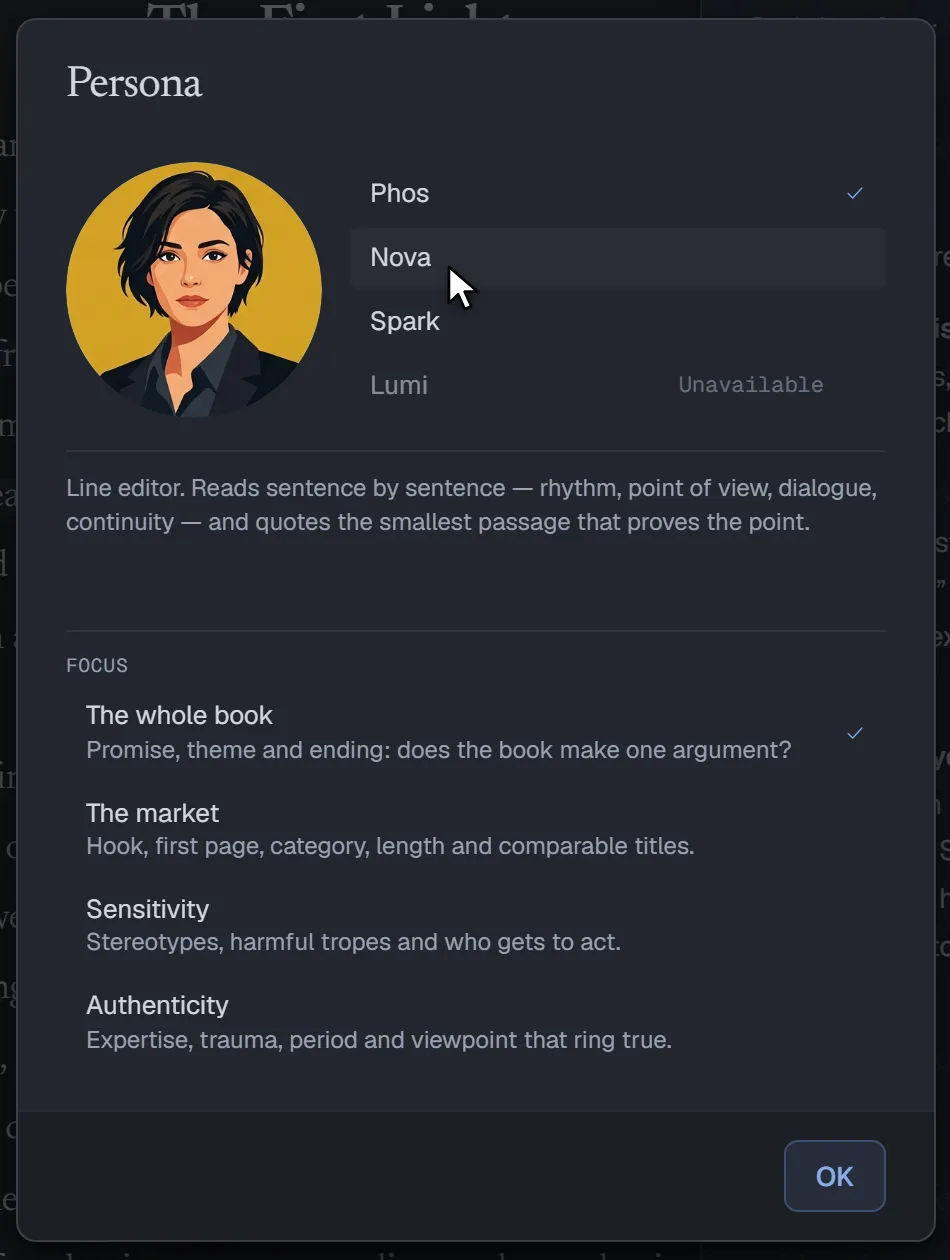
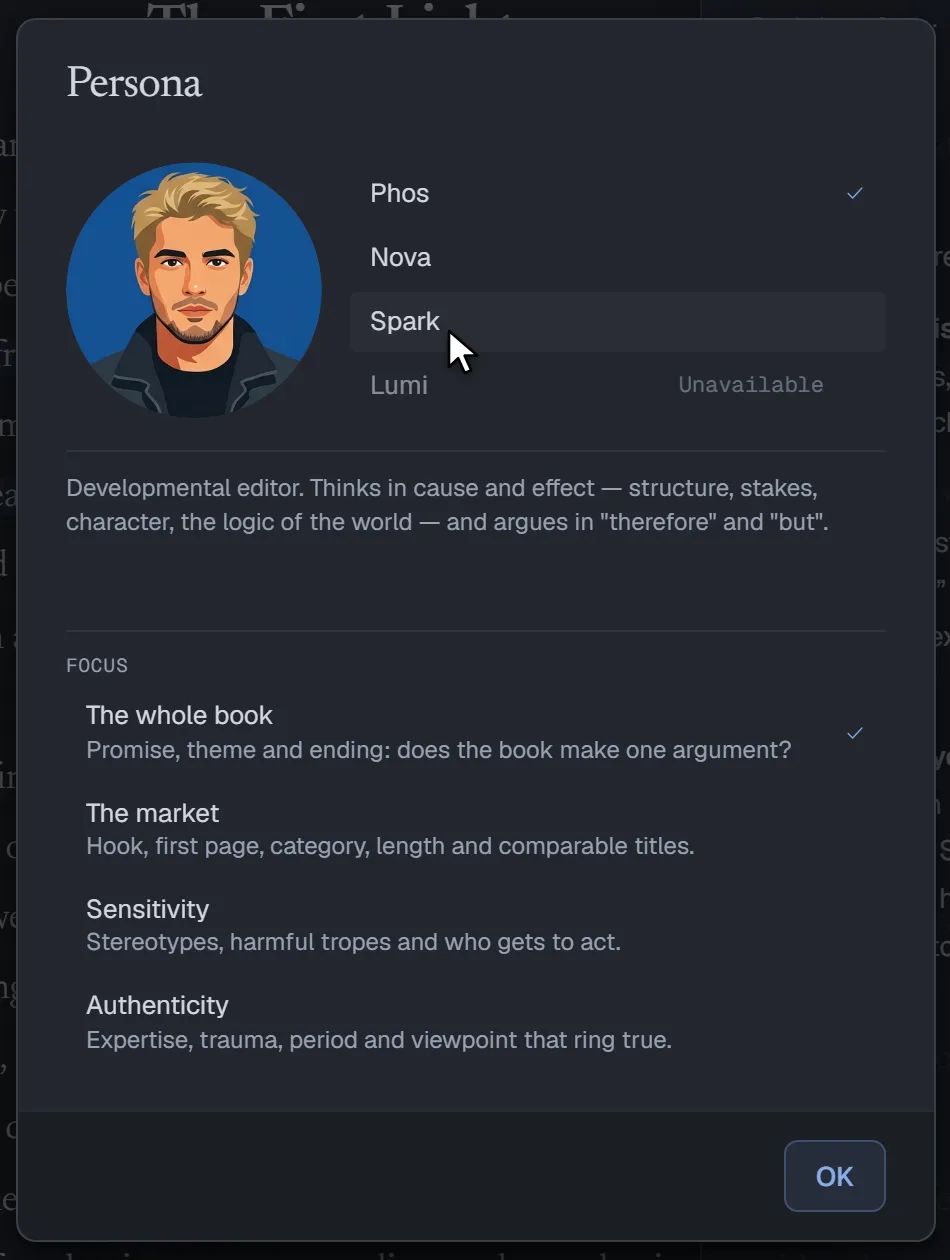
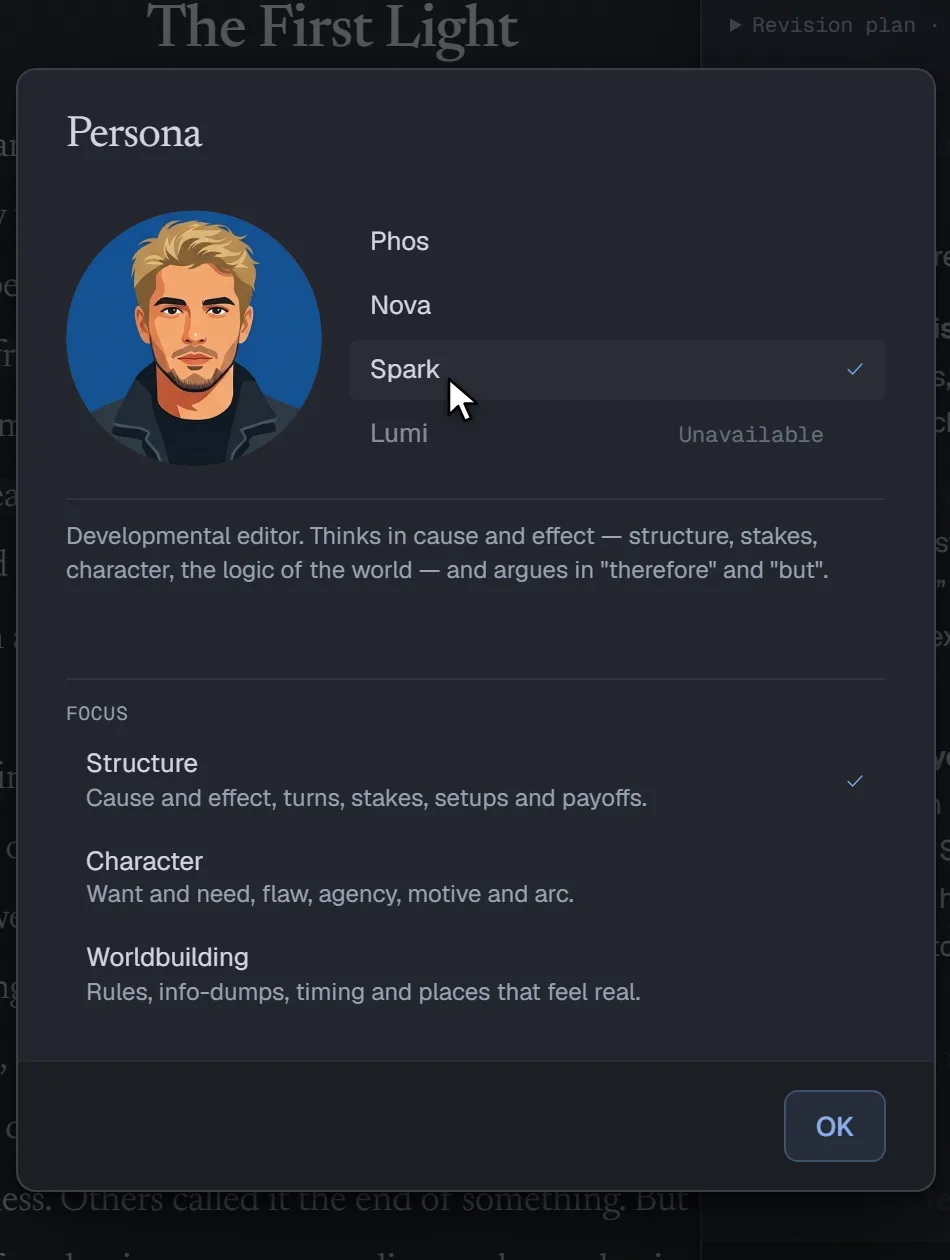
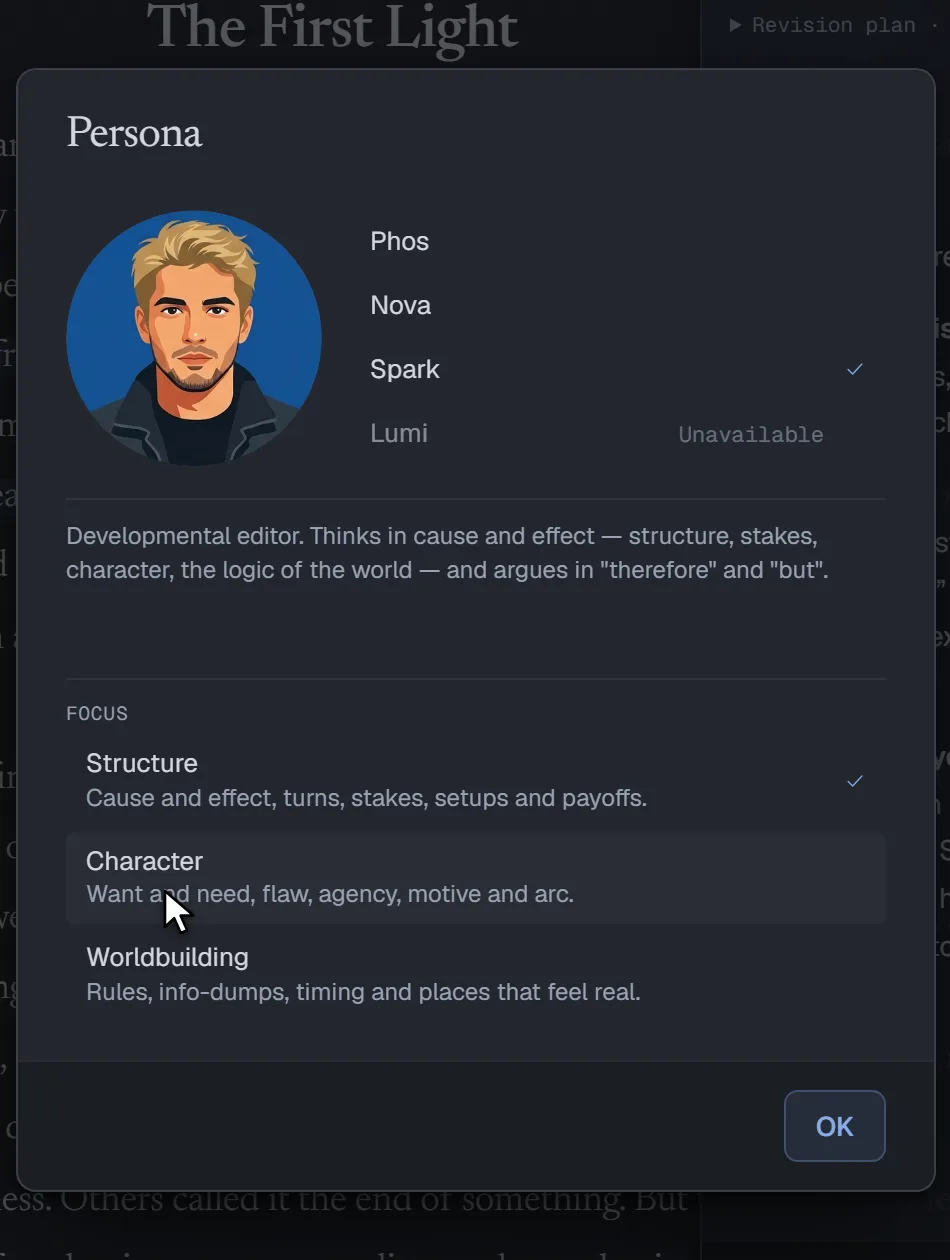
Phos sees the whole book. Nova works line by line. Spark asks what the story needs next. Lumi, the beta reader, tells you where a reader would put the book down. Pick one, and what they look for.

Choosing an editor in the app: each face shows as the pointer passes, then Spark and one of Spark’s reading approaches are picked.
  • Phos

    Editor-in-chief

    “Respectfully: the book promises a change of sight. First, the voice keeps that promise. Second, the people arrive too late to share it.”

    • The whole book
    • The market
    • Sensitivity
    • Authenticity
  • Nova

    Line editor

    “Three sentences, one rhythm. In the first paragraph that's a choice; by the third it's an echo.”

    • Line by line
    • Dialogue
    • Continuity
  • Spark

    Developmental editor

    “This is it, this is the engine! The light spreads, therefore someone has to pay for it. But who?”

    • Structure
    • Character
    • Worldbuilding
  • Lumi

    Beta reader

    “I stayed up for Mirai. When she asked about the dog I actually put the book down for a second.”

    • A friendly read
    • Can't put it down
    • The skeptic
    • All heart
    • Genre veteran

24 commands

Type / and pick the job.

Check continuity, tighten a line, plan a scene, or ask for the letter.

General, drafting and editorial chats

  • /whereFind a moment by describing it
  • /mapWhere each Part fits
  • /verifyCheck a claim against the web
  • /how-to-sayFind the words for what you mean

Drafting

  • /unstickFind the snag and three ways past it
  • /what-ifThree directions for what happens next
  • /scene-planPlan the scene, questions first

Editorial review

  • /unresolvedThreads left hanging
  • /continuityWhat doesn't add up
  • /summariseWhat happens, to whom
  • /canonFacts that change
  • /structure-and-motivationStakes and motives
  • /line-editingRough lines and typos
  • /sensitivityHow people and cultures are portrayed
  • /letterThe editorial letter and a revision plan
  • /first-pagesThe opening, as an agent reads it
  • /genreDoes it keep its genre's promise?

Beta reader

  • /read-onThe reader reads on and keeps a journal
  • /predictWhat the reader expects next
  • /put-downWhere the reader nearly gave up
  • /reviewThe review this reader would post today
  • /blurbDoes the book keep the back cover's promise?

Alpha reader

  • /heartWhere the heart already is
  • /intentThe draft against what you meant

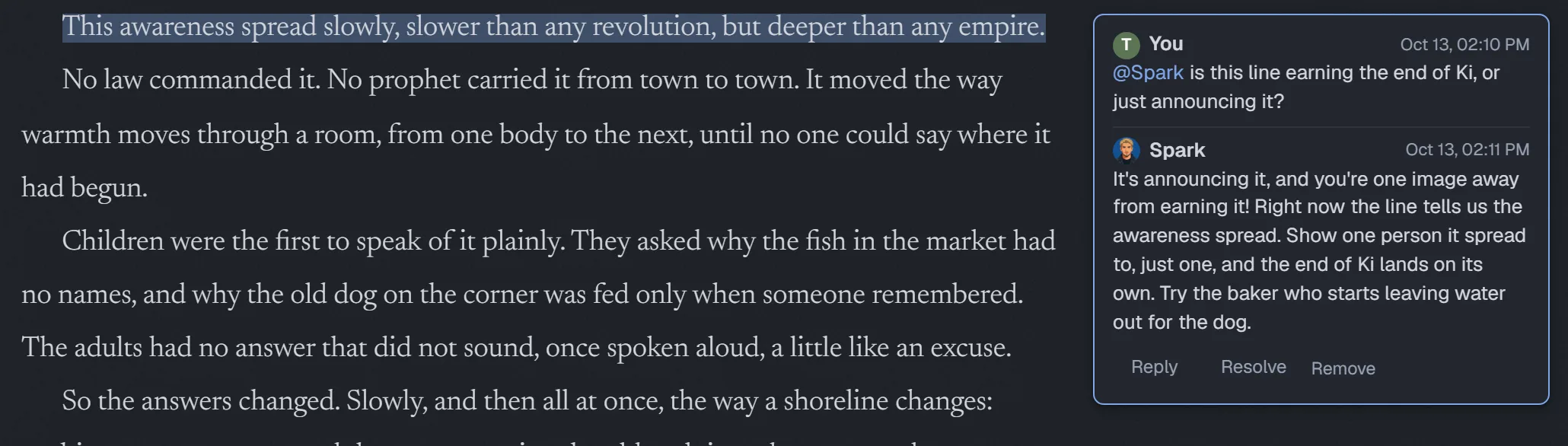
Ask in the margin

Write @Nova, or any editor's name, in a margin comment, and the answer arrives in that thread, about that very passage. No chat to open, no page to leave.

A margin thread: the writer asks @Spark about a line, and Spark answers in the thread.

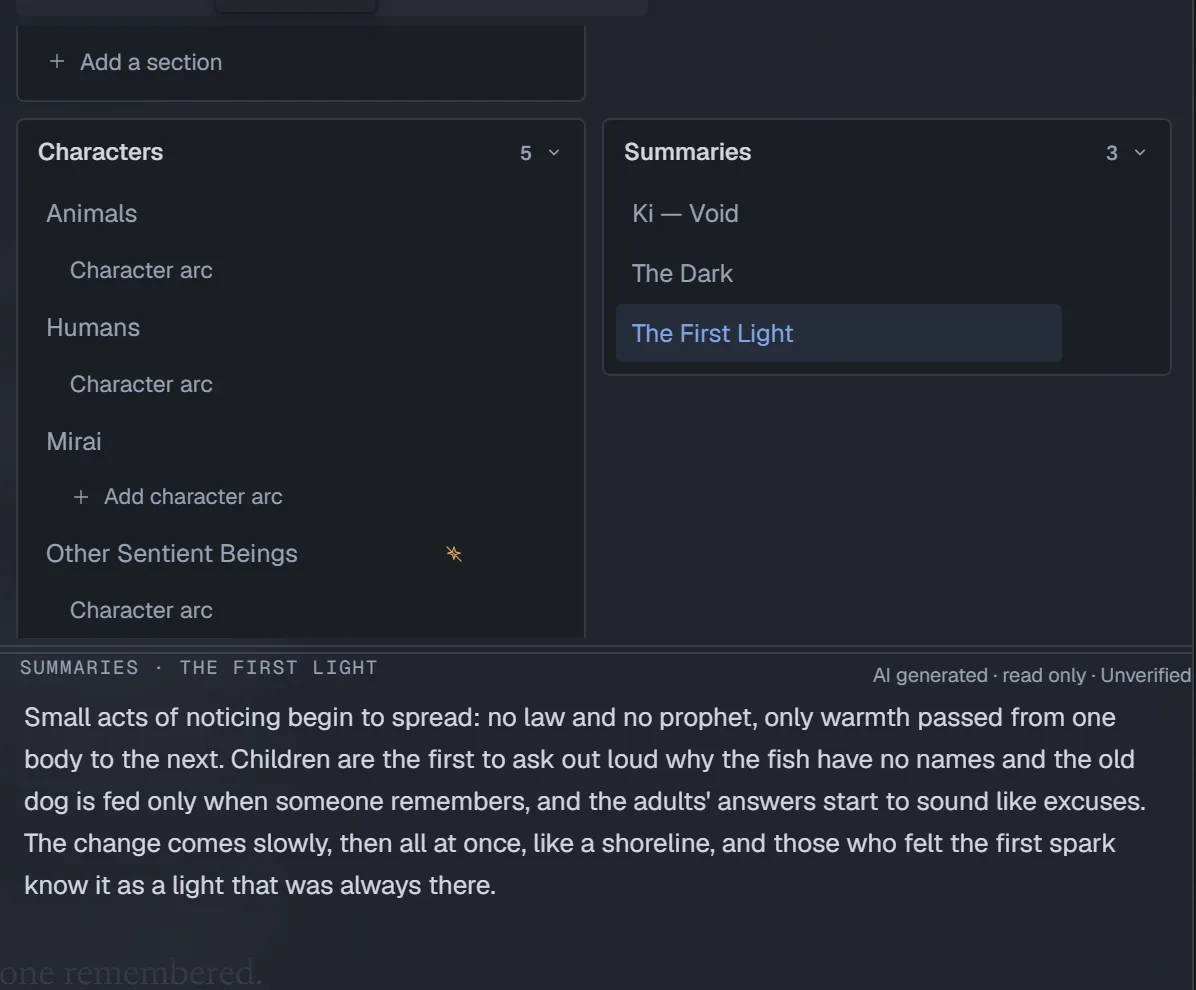
A summary for every Section

Ask for a summary of any Section. Each one remembers the text it summed up, so when you rewrite, it is marked outdated, and one click writes it again. Summaries are how /where finds a scene from a description and /map places every Part.

A Section's summary in the Summaries shelf, beside the page.

Files, saving and formats

Plain files. Your folder. Yours to move.

Your book shouldn't be locked inside someone else's app.

It's saved as plain Markdown, in a folder you choose, in Remote Storage, or both. Bring it in from Word; take it out as DOCX, EPUB or PDF.

Use a folder on your device, Remote Storage, or both. Device folders require Chrome, Edge or another Chromium browser. Remote Storage and the demo work in every modern browser. The program starts with no connection; signing in and Remote Storage need one, and if you lose it, keep writing in the open tab.

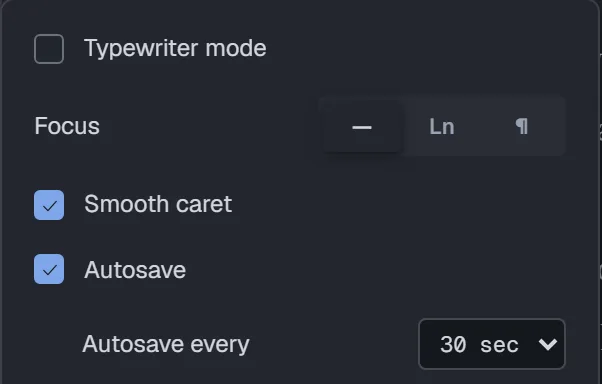
Autosave at your pace

Autosave is on from the start, every thirty seconds; set the pace from every five seconds to every five minutes, or turn it off. A mark beside each paragraph shows what isn't on disk yet, and the save chip tells you when it's saving, syncing to Remote Storage, and saved.

The app’s writing preferences with autosave enabled every thirty seconds.

Two copies, one clear choice

When your device and Remote Storage disagree, you choose which version wins, and the other is backed up first. If some of your work exists only on this device, the app tells you.

Move in, move out

Import DOCX, ODT, RTF, EPUB, Markdown, text and HTML, with chapter detection and review comments. Export to DOCX, ODT, PDF, RTF, EPUB, HTML, Markdown or text, in book, manuscript or review-copy layouts.

Mobile first

Your novel, in your pocket.

On your home network, while your computer is on, open your novel on a phone or tablet, with the controls within your thumb's reach. Away from home, a tab that is already open keeps writing, and the changes wait until you are back.

The editor on a phone, its controls along the bottom edge.
The Desk on a phone.
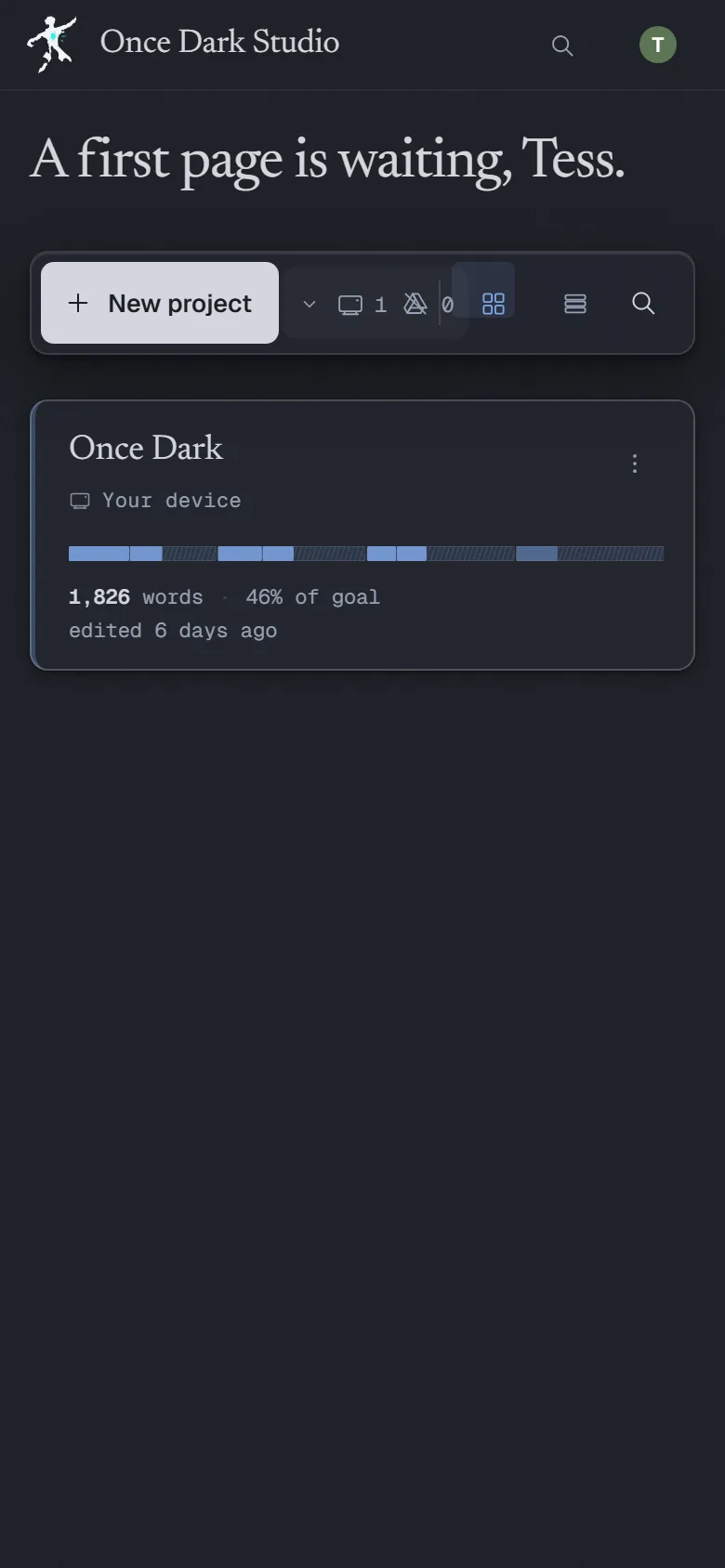
The Library on a phone.

Free software

Open source, all of it.

Run your own copy: the code is open under the AGPL, with nothing held back, and you build it yourself. The AI is optional, and you pay OpenRouter for what you use.

Writing

  • A text engine of its own, built for fiction: its own document model, undo tree and diff.
  • Search the whole project and replace across it. The search runs in your browser tab, and your text never leaves it.
  • A word goal for the book, and its shape drawn Part by Part as it grows.

Structure

  • The Golden Rule: a Part holds Parts or Sections, never both, so the shape of a project stays clear.
  • Drag a Section where it belongs, or select several and move them together.
  • A new project starts from a structure of your choice, with its genre, already laid out in Parts.

Revision

  • The revision rail lets you walk back through undo history and return to an earlier version of the text.
  • Keep drafts as snapshots and compare any two, in either direction.

Editorial help, when you ask

  • Five kinds of chat: General, Drafting, Editorial review, Alpha reader and Beta reader. Each picks its persona, its model and how creative to be, and a reader chat knows the book only up to the chapter you choose.
  • /canon and /continuity keep ledgers of the facts that change and the things that don't add up, checked against your reference pages.
  • The assistant reads the pages each job needs. A dialogue pass reads your Prose Style and the language of your world; /canon Mirai checks the book against her page alone; /blurb waits until your Back Cover is written.
  • A review leaves its notes in the margin as suggested comments: keep the ones that help, dismiss the rest.
  • Margin comments in threads you resolve when they're done, and you can call an editor into any of them.
  • Ten craft detectors go through the text in your browser first, so the model starts from evidence: echoes, filter verbs, dialogue tags, sentence rhythm and more.
  • It can search the web, but only after you approve, or edit, the exact query.
  • Sign in with your OpenRouter account and pay OpenRouter for what you use, under a spending limit of $5 or less that you set. Or run a model through Ollama on your own machine, which sends nothing off it.

Files, saving and formats

  • Local Storage, a folder on your device; Remote Storage; or both, kept in sync.
  • Lose the connection and keep writing in the open tab: changes wait in a queue, and the app tells you what isn't synced yet.
  • Import docx, odt, rtf, epub, Markdown, text and HTML, with chapters detected and review comments carried into the margin.
  • Export to DOCX, OpenDocument, PDF, RTF, EPUB, a web page, Markdown or plain text, as a book, a manuscript or a review copy.
  • Free software under the AGPL: read the code, run it yourself.

And one more thing.

Pick a theme. Watch what happens.

Four themes, each in light and dark. Pick one and this whole page changes with it.

The real editor in the selected theme.

Questions

The straight answers.

Can I try it first, to see what it's like?

Yes. The demo is the whole editor, open on a sample novel, and it needs no account. Nothing is saved: a reload starts the novel over. The assistant answers with sample replies; to use a real model, build the program on your computer and connect your OpenRouter account, or a local model through Ollama.

Where are my files?

In a folder on your device, in your Remote Storage, or both: plain Markdown, YAML and JSON that any editor can open. Your preferences, your Library and what each project card shows, such as titles, word counts and the shape of the structure, stay on your device and, while Remote Storage is connected, also in the folder reserved for the application in your Remote Storage. That folder never holds body text, snapshots, comments or chats.

What does it cost?

Once Dark Studio is free software: there is nothing to buy. The AI isn't included: to use a remote model, you sign in with your OpenRouter account and pay OpenRouter for what you use, under a spending limit of $5 or less that you set. Or run a local model through Ollama on your computer, with no provider to pay.

Which AI does it use, and what does it see?

The model you choose. With a remote model, the passages you ask about go from your device straight to your model provider and on to the model's vendor; no central server sits in between. A model running through Ollama sends nothing off your machine, apart from a web search you approve, and then only that query. The assistant suggests changes and does not edit your manuscript; you choose which suggestions to use.

Can I move to another program?

Yes. Your book is already plain files, and it exports to DOCX, OpenDocument, PDF, RTF, EPUB, a web page, Markdown and plain text.

Does it work offline?

Yes. The program starts on your computer with no connection, and books in a folder there need none. Signing in needs one, and changes to books in Remote Storage wait in a queue until you're back online.

Which browsers does it work in?

Folders on your device need a Chromium browser, such as Chrome or Edge. Remote Storage and the demo work in every modern browser.

Can I run it myself?

Yes, that's how it works: Once Dark Studio runs on your computer. You build it from the source code, then install and set it up yourself. There are no central servers.

Is it finished?

It's in alpha and changes fast: if you use it now, you are experimenting with something that is still being made. Every change passes the full test suite and a run in a real browser, and I review it before it's merged. Keep your own copy of anything you can't afford to lose.

Why it exists

I've always believed the best work happens when things that seem opposed work as one. Logic and intuition. Discipline and creativity.

In 1997, in a maths class, I wrote my first lines of code on a sheet of paper: a Battleship game in Turbo Pascal 7. I had no computer at home, so I couldn't wait to reach the computer lab and see if it ran. Programming and play. Maths and fun.

Today the opposites are code and writing. I was looking for software that let me work the way I wanted, and couldn't find it. So I started building it. At first it was only for me; then I thought it would be good to share it with anyone who writes and doesn't mind running a few commands to set it up.

Bringing a little light where there was dark: that's where the name comes from. To me it means understanding a little more, learning to listen, watching something beautiful take shape.

There is a second reason. I wanted to see how far a software project made with AI could go, without writing the code myself. So I say it plainly: the ideas, the design decisions, the testing and the debugging are mine; AI agents write the code. It is a personal project, made in my free time, with no company behind it.

Your book is waiting.

Free and open source, a project open to everyone, not for profit · Open the demo without signing up, and decide if it is for you

Warranty and liability Once Dark Studio is provided “as is”, without warranty, to the extent permitted by law and unless stated otherwise in writing. Rights and liabilities that the law makes mandatory still apply. Keep a copy of your writing.